Built to Last vs. Tablets on Stands: Why Commercial Kiosk Engineering Matters
November 14, 2026 by Nick
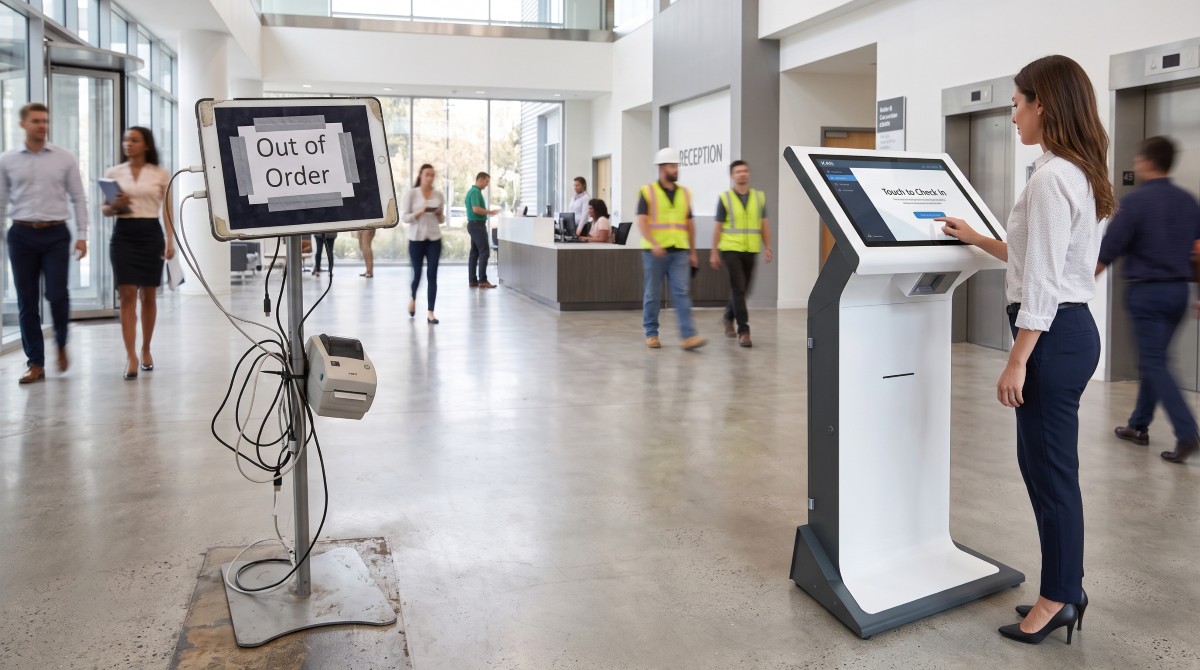
When modernising a reception area, hotel lobby, or hospital check-in desk, it can be tempting to take a shortcut: buy a consumer tablet, bolt it onto an off-the-shelf floor stand, and download a check-in app. On paper, it looks like a quick, low-cost win.
In reality, consumer electronics are designed for personal use on a sofa – not for thousands of daily interactions in high-footfall public buildings. Within months, businesses that cut corners on hardware often face swollen batteries, cracked screens, disconnected cables, and frustrated visitors.
Here is why purpose-built commercial kiosk engineering – like K4B’s UK-manufactured solutions – delivers dramatically better reliability, security, and Total Cost of Ownership (TCO).
1. 24/7 Duty Cycles vs. Battery Burnout
Consumer tablets rely on lithium-ion batteries engineered for intermittent daily charging. When left permanently plugged in at 100% brightness in a warm lobby, those batteries degrade rapidly—leading to overheating, screen separation (“battery swelling”), and unexpected shutdowns during peak check-in hours.
The K4B Difference: Commercial-grade kiosks are built with industrial touchscreens and dedicated PC hardware rated for 24/7 continuous operation. With engineered internal airflow, thermal management, and industrial power supplies, they run reliably around the clock without battery failure risks.
2. Heavy-Duty Steel Enclosures vs. Fragile Glass & Plastic
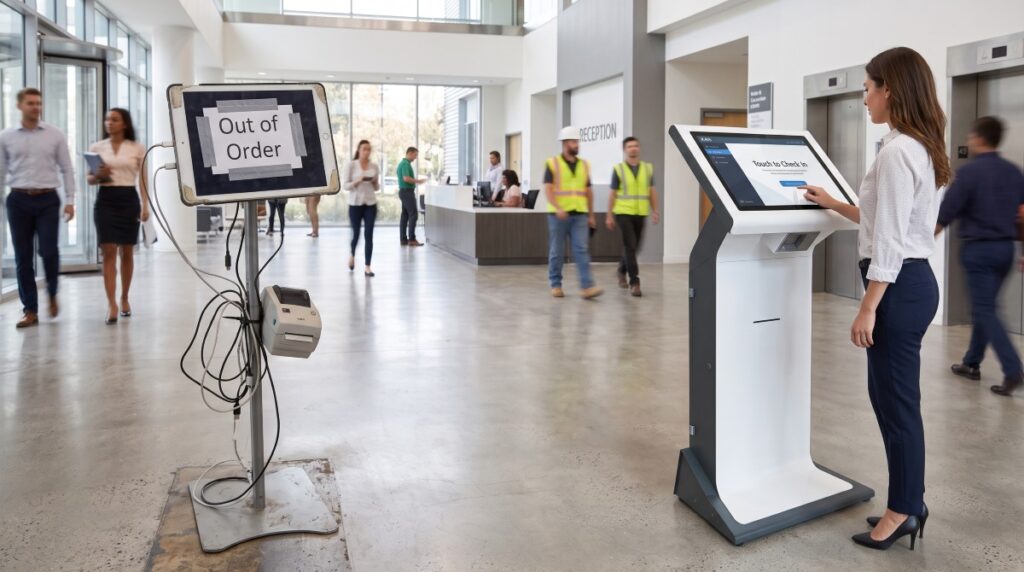
Public environments are unpredictable. Luggage trolleys bump into stands, heavy bags get rested on screen bezels, and hardware is exposed to constant knocks and cleaning chemicals. A consumer tablet in a lightweight aluminum shell simply isn’t built to take the punishment—and a single drop or impact means an immediate out-of-order sign.
The K4B Difference: K4B kiosks are precision-engineered and built in the UK using heavy-gauge mild or stainless steel, toughened safety glass, and weighted anti-tip bases. They are designed to withstand relentless public use while maintaining a sleek, architectural finish that elevates your reception space.
3. Seamless Peripheral Integration (No Messy Cables)
A true self-service check-in journey rarely ends at tapping a screen. Visitors and contractors need printed badges, QR code scanners, RFID card readers, or document scanners. With a tablet-on-a-stand setup, peripherals become a clumsy afterthought—held together by external Bluetooth pairings that drop out, loose USB adapters, and exposed power cables that invite tampering.
The K4B Difference: Every component in a K4B kiosk is housed internally within a lockable, tamper-proof chassis:
- Integrated Thermal Badge Printers: High-speed, jam-resistant printing with easy-access media bays for staff.
- Built-In Barcode & QR Scanners: Flush-mounted optical readers positioned at the natural ergonomic angle for phones and passes.
- Zero Exposed Cabling: Power and Ethernet run cleanly through the base plate, eliminating trip hazards and unauthorised unplugging.
4. True Total Cost of Ownership (TCO)
While a consumer tablet setup carries a lower upfront price tag, the hidden costs add up fast:
- Frequent hardware replacements every 12–18 months.
- IT support callouts to reconnect dropped Bluetooth printers or reboot frozen apps.
- Brand damage when visitors are greeted by a dead screen in your lobby.
Purpose-built kiosks are a 5-to-10-year capital asset. Backed by UK manufacturing, modular component access for rapid servicing, and dedicated support, K4B hardware stays online—protecting both your budget and your organisation’s first impression.
Invest in Hardware Built for the Real World
Your reception kiosk is often the very first touchpoint a visitor, patient, or contractor has with your organisation. Make sure it is engineered to perform every single day.
Explore K4B’s range of UK-designed, commercial-grade self-service kiosks at k4b.co.uk.
Would you like a wide blog hero image featuring the white-and-charcoal K4B kiosk for this article as well?
Written by

Nick
You may also interested in:
Every Second Counts: How K4B Visitor Management Kiosks Deliver One-Click Emergency Evacuation Lists
When an emergency alarm sounds in a busy facility, the most critical question appointed fire marshals face is immediate and urgent: Who is currently in the building? While permanent staff
Beyond the Clipboard: Why Modern Clinics Are Moving to Self-Service Patient Intake
Every morning in busy medical practices and outpatient centers, the same scenario plays out: patients queue at the front desk, balancing clipboards, insurance cards, and pens, while administrative staff manually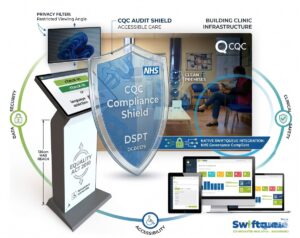
The Zero-Risk Clinic: Swiftqueue-Integrated Kiosks Solve the NHS Compliance Minefield
Self service automation is no longer a luxury for UK blood, radiology and other test clinics – its a fundamental necessity. With patient numbers rising clinic and practice managers need
How the Right Visitor Management Kiosk Creates Unexpected Business Value
In a busy office block, factory, conference centre, hospital etc. managing the people coming into the building is a significant task. Before the K4B Visitlog solution, a delegation of receptionists
The Digital Triage: Why Integrated Self-Service Kiosks are the Future of Medical Administration
In the high-stakes environment of modern healthcare, the reception desk is often the primary point of friction. Between emergency admissions, scheduled consultations, and a steady stream of pharmaceutical representatives and
How Clinics Can Reduce Patient Waiting Times Without Hiring More Staff
Walk into almost any busy GP surgery or clinic at peak time and you’ll see the same thing: a full waiting room, a queue forming at reception, phones ringing, and
How Much Does a Self-Service Kiosk Actually Save?
For many businesses considering automation, the first question is simple: does a self-service kiosk actually save money? The short answer is yes – often far more than expected. But the
Contactless Hospitality:
Why Modern Guests Prefer Self Check-In
The hospitality industry has changed dramatically in the last few years. Guest expectations have evolved. Technology has matured. Labour costs have risen. And the demand for speed, convenience and privacy
What to Look for When Choosing a Business Kiosk
(Avoid These Costly Mistakes) When businesses choose a kiosk, the decision often starts with hardware: screen size, price, specifications. That approach is where most mistakes begin. In reality, the success